 Novasis App
Order updates, cart reminders and campaigns on WhatsApp
Novasis App connects your Shopify store to your own WhatsApp Business number through Meta’s official Cloud API. Messages go out from your number, under your store name.
Built for Shopify stores. Interface in English and Turkish.
Set up in three steps
You stay in control of the number, the templates and who receives messages.
- Install and connectAdd the app from the Shopify App Store and link your WhatsApp Business number through Meta’s sign-in flow.
- Pick your messagesSwitch on order, payment, shipping and cart messages. Message templates are sent to Meta for approval from the panel.
- Send and followMessages go out automatically. Campaigns are scheduled to a segment, and delivery, reads and clicks are tracked in the panel.
What the app does
Everything runs from one panel, next to your Shopify orders and customers.
Order, payment and shipping messages
Customers hear from you on WhatsApp at every step after they buy, without anyone sending messages by hand.
- Order confirmation, payment and shipping updates
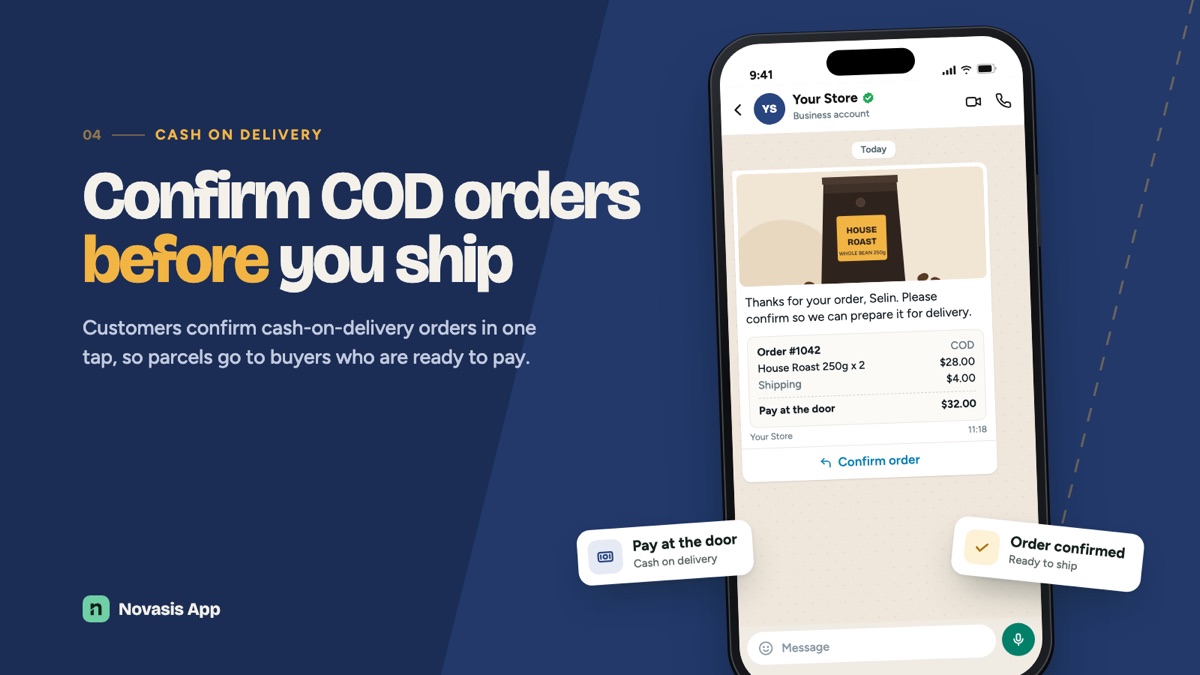
- Cash-on-delivery confirmation requests
- Tracking number included in shipping messages
Cart reminders that stop on purchase
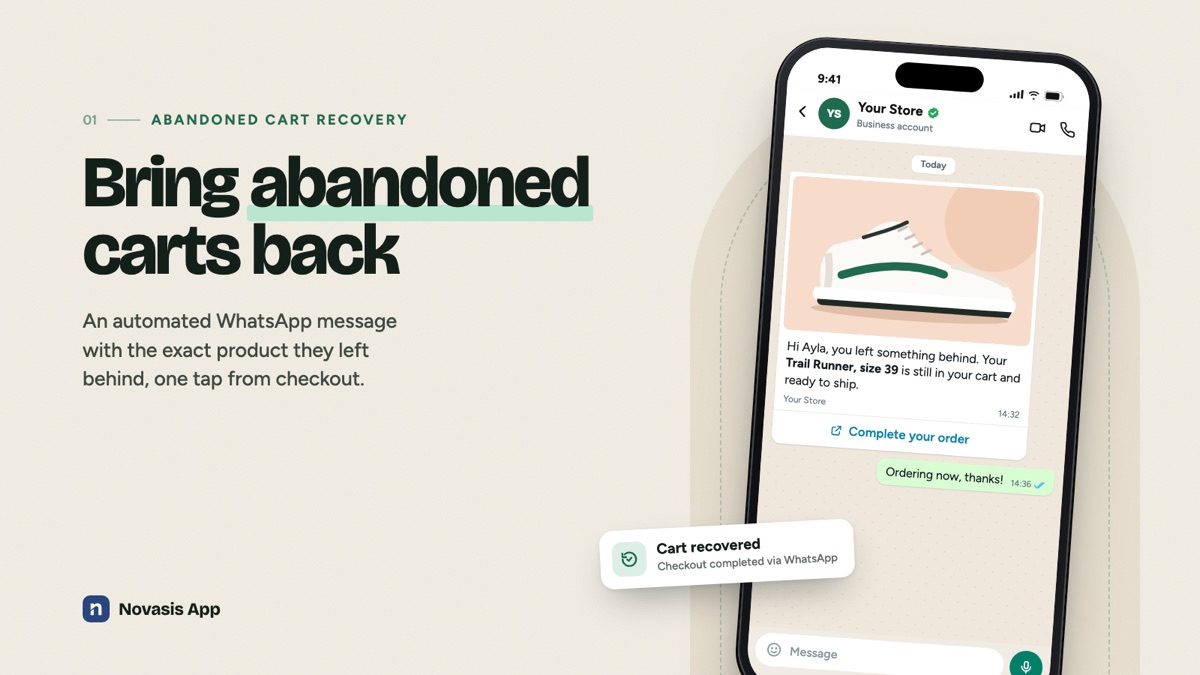
A customer who leaves a cart receives up to three reminders with the product photo and a link back to checkout. Reminders stop as soon as they order.
- Optional discount code in the reminder
- Only sent to customers who agreed to WhatsApp messages
Campaigns to Shopify segments
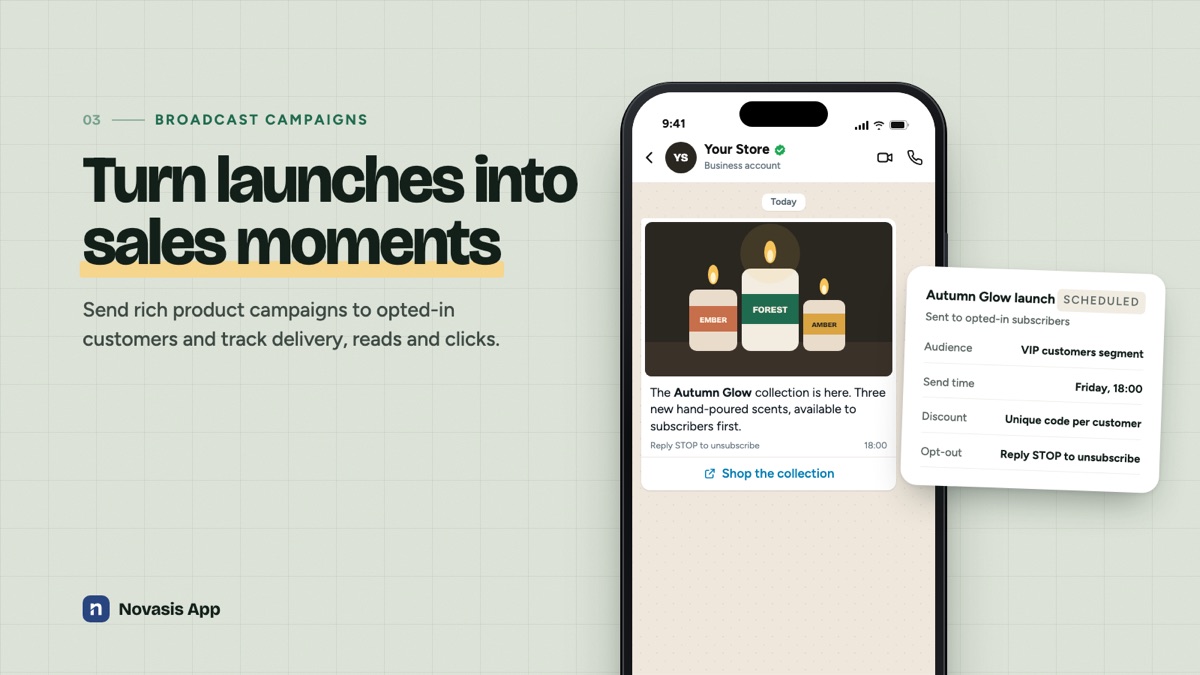
Choose a customer segment, schedule the send and give every recipient a unique discount code. Each message includes an opt-out.
- Delivery, read and click tracking
- Customers can reply STOP to unsubscribe
Pricing
Billed through Shopify. Paid plans include a 7-day free trial and an annual option.
Free
- 50 orders per month
- 250 contacts
- 1 WhatsApp number
- All automations and campaigns
Starter
- 500 orders per month
- 1,000 contacts
- 1 WhatsApp number
- All automations and campaigns
Growth
- 2,000 orders per month
- 5,000 contacts
- 3 WhatsApp numbers
- Product catalog, Instagram DM, API
Pro
- 8,000 orders per month
- Unlimited contacts
- Unlimited WhatsApp numbers
- Product catalog, Instagram DM, API
Order notifications keep sending even when the monthly allowance is used up. Marketing messages (campaigns, reminders, review requests) pause until you upgrade or add an optional one-time top-up pack: 100 orders for $5, 500 for $22, 2,000 for $79. WhatsApp conversation fees are set by Meta and billed by Meta to your own Meta account, not by us.
Your data and your customers’ consent
We process only what is needed to send the messages you set up.
Questions
Do I need a WhatsApp Business account?
Yes. You connect a WhatsApp Business number through Meta’s sign-in flow during setup. The app guides you through it.
Who pays Meta’s message fees?
You do. Meta bills WhatsApp conversation fees directly to your Meta account. Our plans cover the app only.
Can customers opt out?
Yes. Customers can reply STOP at any time and are removed from marketing messages. Order notifications are tied to their order.
Does it work with my theme?
The WhatsApp button and opt-in form are theme app extensions that you add from the theme editor. They appear as app blocks and embeds in the theme editor.
Can I change the message wording?
Yes. You choose which messages are on. WhatsApp templates are submitted to Meta for approval from within the panel, and their status is shown there.
How do I get help?
Write to support@novasis.tr. See the support page for data requests.